The Website Chatbot That Stops You Losing Customers When You Don't Reply
WebsiteChatbot answers every visitor instantly, recommends what they need, captures their contact details and helps turn conversations into sales 24/7, even while you sleep.
One line of code · Works on WordPress, Shopify & any website




 websitechatbot.io
Your website chatbot works everywhere your customers are — one line of code on any platform
 WordPress
 Shopify
 Wix
Wix
 Squarespace
 Webflow
Any website
Webflow
Any website
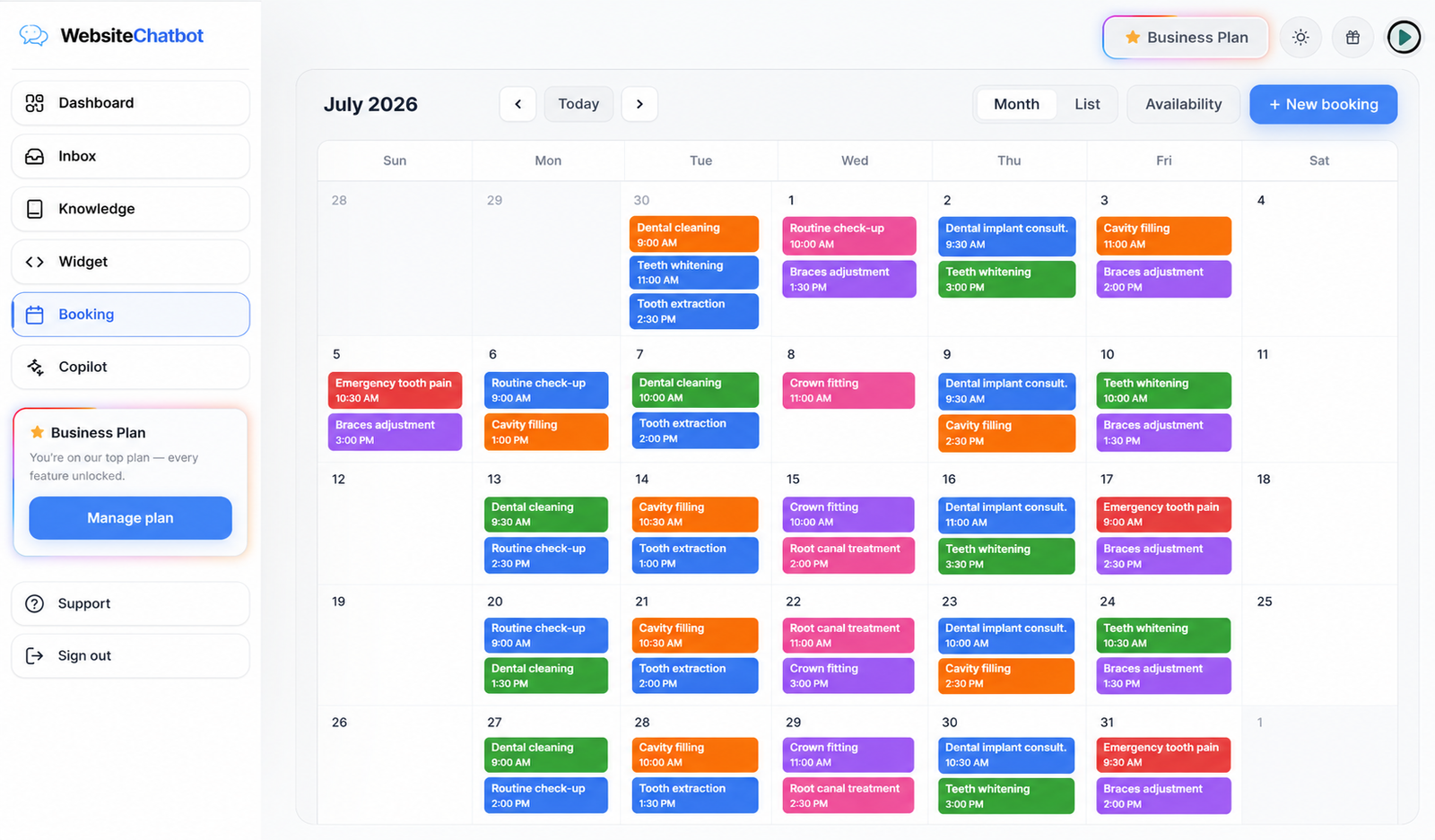
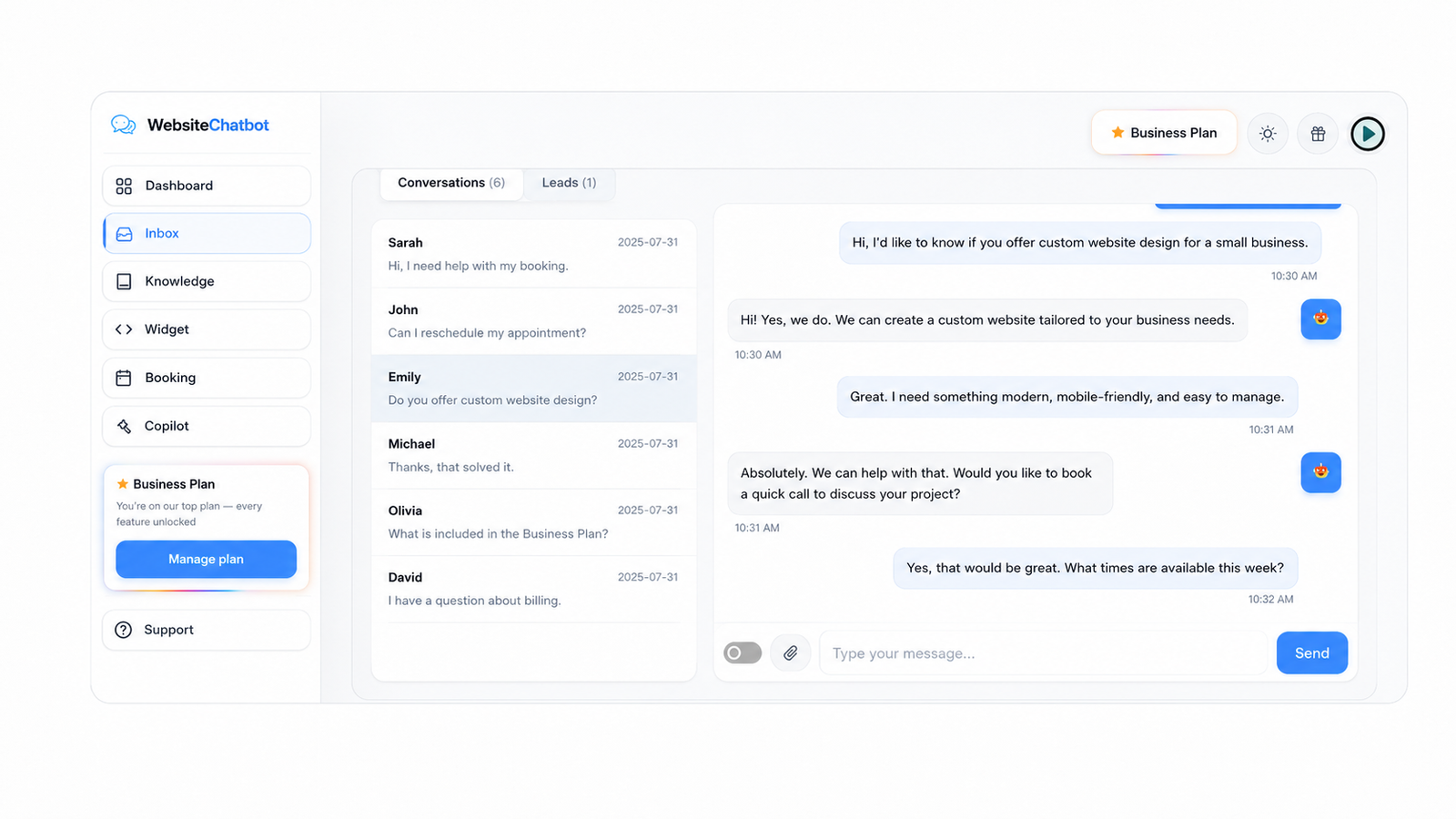
Every chat, lead and booking — in one dashboard
Reply to visitors live, watch leads arrive, and see the appointments your website chatbot booked while you slept.
Grow your sales
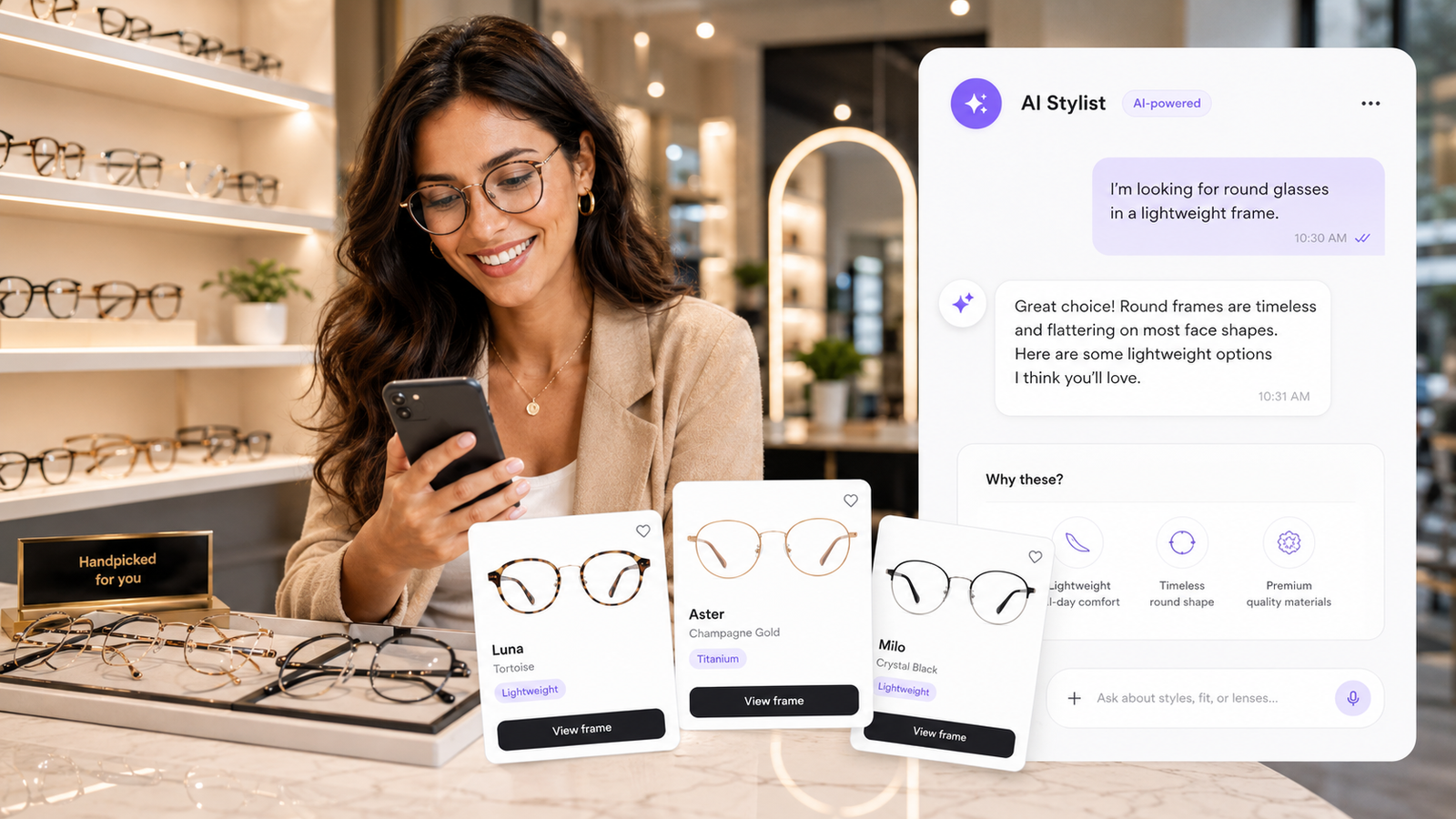
Your best salesperson never sleeps
While you're busy running the business, your website chatbot greets every visitor, clears their doubts on the spot, and walks them to a purchase, booking or callback — day and night.
Real humans, one click away
When they ask for a person, you're already there
The moment a visitor wants a human, your website chatbot passes the conversation to your Inbox. Flip one switch, the AI steps aside, and your reply reaches them live — right inside the same chat.


Know what's working
Watch your website chatbot pay for itself
Every conversation, lead and booking your website chatbot handles is counted for you. Open the dashboard and see exactly what your visitors ask, when they come, and how many turn into customers.
Conversations
Weekly report
Leads captured
Growing every single week.
Conversations that convert
Watch chats climb week after week
Every visitor detail, saved for you.
Leads on autopilot
Names and emails collected mid-chat
The calendar fills itself.
Bookings while you sleep
Appointments taken around the clock
Answers on autopilot
The routine questions answer themselves
Prices, hours, availability, services — your visitors ask the same things every day. Teach your website chatbot once and it handles them all instantly, so you only step in when it truly matters.



Loved by busy business owners
Clinics, shops, agencies and restaurants let a website chatbot answer for them — here is what that feels like.
Frequently Asked Questions
Everything about your website chatbot
How your website chatbot learns, how it installs, and what happens when your visitors start chatting — answered in plain words.
Try it freeA website chatbot is a small chat window on your site that automatically answers visitor questions, captures leads and books appointments using AI. It works 24/7, so customers get instant answers even outside business hours.
Paste one line of code before your site's closing body tag, or use a Custom HTML block. Your website chatbot appears instantly — no coding skills needed. Most customers are live in under five minutes.
Yes. The same website chatbot works on any site that allows a script tag: WordPress, Shopify, Wix, Squarespace, Webflow and custom-coded sites.
You give your website chatbot your URL and any documents you want. It reads your content and answers questions using only your information — and tells you which questions it couldn't answer so you can fill the gaps.
Yes — you can add a website chatbot to your site free and upgrade only when you need more conversations, channels or team features. No credit card required to start.
Yes. When a visitor asks for a person, the conversation is flagged in your Inbox. Flip one switch and you reply live — the AI pauses while you're chatting and resumes when you hand it back.
Yes. Set your working hours and services once — your website chatbot offers open slots, never double-books, and each confirmed appointment lands in your Booking calendar with the customer's details.
Fully. Style your website chatbot in the widget studio — skin, accent color, logo, welcome message, launcher style and position — the live preview shows exactly what your visitors will see.
Your next customer is on your website right now. Make sure someone answers.
Unlock Premium Features
- ✓ Get 150 NEW AI credits monthly
- ✓ Get Custom Domains
- ✓ Free Secure Hosting
Dashboard
Welcome back 👋
Conversations
Daily activity across all your chatbots
Recent conversations
Recent leads
Create your first chatbot
You can edit this anytime in the Knowledge tab.
Inbox
Visitor conversations, phone calls and the leads your chatbot captured. Reply live to take over a chat.
Knowledge
Teach your chatbot from your website, files and notes.
Widget
Design your chat bubble, preview it live, then install it with one line of code.
Booking
Your appointment calendar. Bookings taken by the chatbot appear here automatically.
Copilot
Your account assistant. Ask anything — it can extract pages, clean knowledge, check installs, change widget settings and more.
Profile details
Support
We're here to help you get your chatbot live.
Email support
Questions about your account, billing or setup — we usually answer within a few hours.
Setup guides
How to install the widget on WordPress, Shopify, Wix and custom sites — step by step.
Earn free credits
Refer a friend — you both get 25 credits when they sign up.
Refer friends,
 earn credits.
Share your referral link
Friend receives 25 credits
You earn 25 credits