


Sign In Get Started

How it works

From nothing to answering visitors — instantly

No setup wizard, no developer, no plugin. You create a chatbot, teach it your business, paste one line of code, and it starts answering — here's exactly what each step looks like.

Free plan availableNo credit card required

Five steps, and nobody has to touch your code twice

Everything below happens in your dashboard. The only thing your website ever receives is a single line of script.

1

Create your chatbot

Sign up free, give the bot a name your visitors will see, and paste your website address. It exists the moment you press the button.

No credit card, no trial countdown One account can run several chatbots for several sites Everything you set here can be changed later
2

Teach it your business

This is the part that makes the answers yours. Point it at your website and it reads your pages by itself — then top it up with files and question-and-answer pairs.

Scan your site — services, prices, hours, FAQs, all learned automatically Upload files — price lists, menus, brochures, policy PDFs Add Q&A — for everything that lives only in your head
3

Design the widget

Pick a style, set your color and logo, write the welcome message. A live preview sits beside you the whole time — what you see is exactly what your visitors get.

Seven widget styles, from minimal to animated Your accent color, logo, launcher shape and position Paid plans remove the "Powered by" badge entirely
4

Paste one line of code

Copy your embed code and drop it into your website before the closing </body> tag. That's the only time your site is touched — every future change happens in the dashboard.

WordPress, Shopify, Wix, Squarespace, Webflow, custom code Loads asynchronously — your page speed is untouched The install checker confirms it's live before you walk away
<script src="https://websitechatbot.io/widget-v1.5.1.js" data-id="YOUR-WIDGET-ID"></script>
5

Watch conversations arrive

From here it runs itself. Chats, captured leads and booked appointments land in your dashboard, and you step in only when you want to.
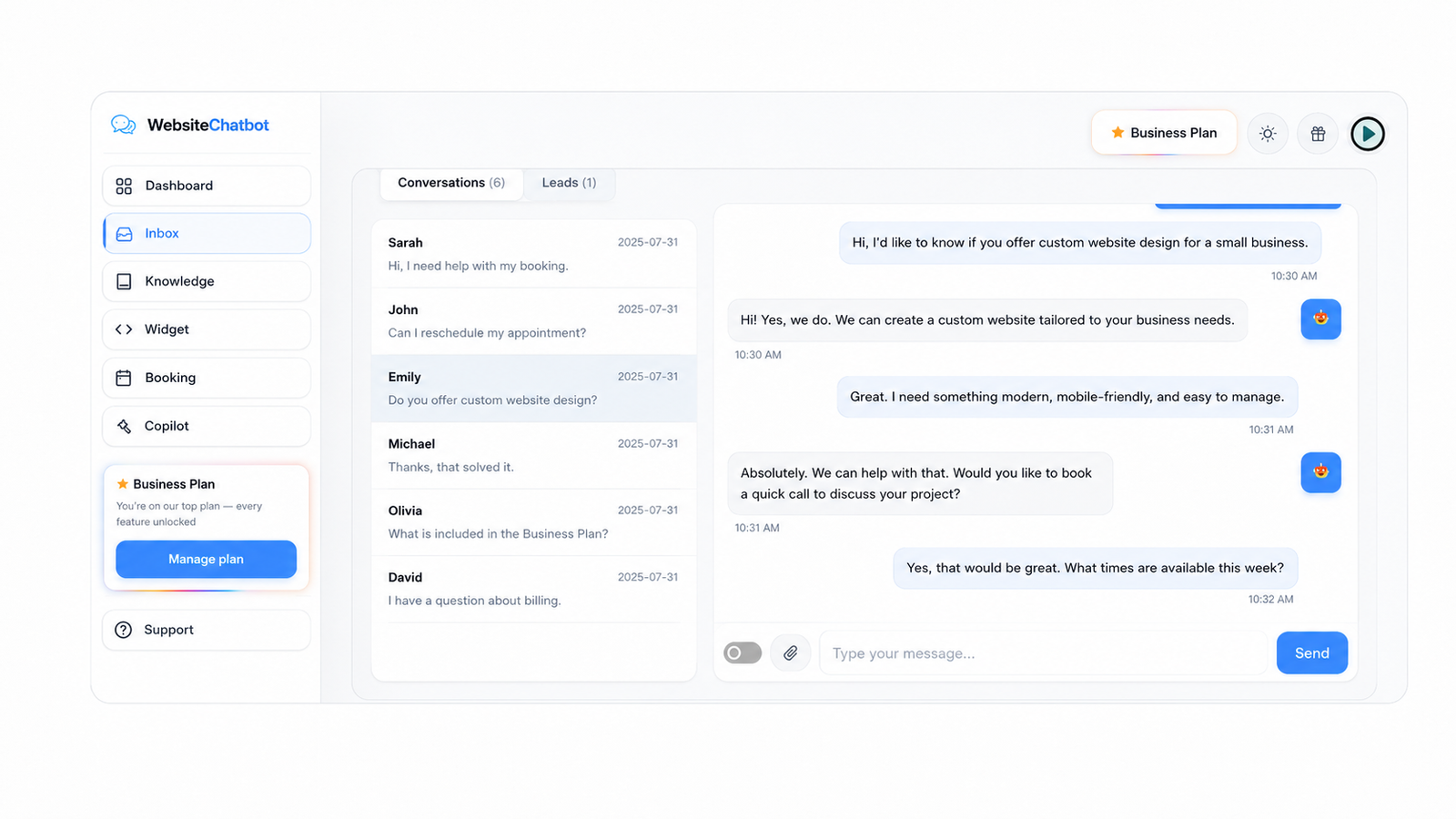
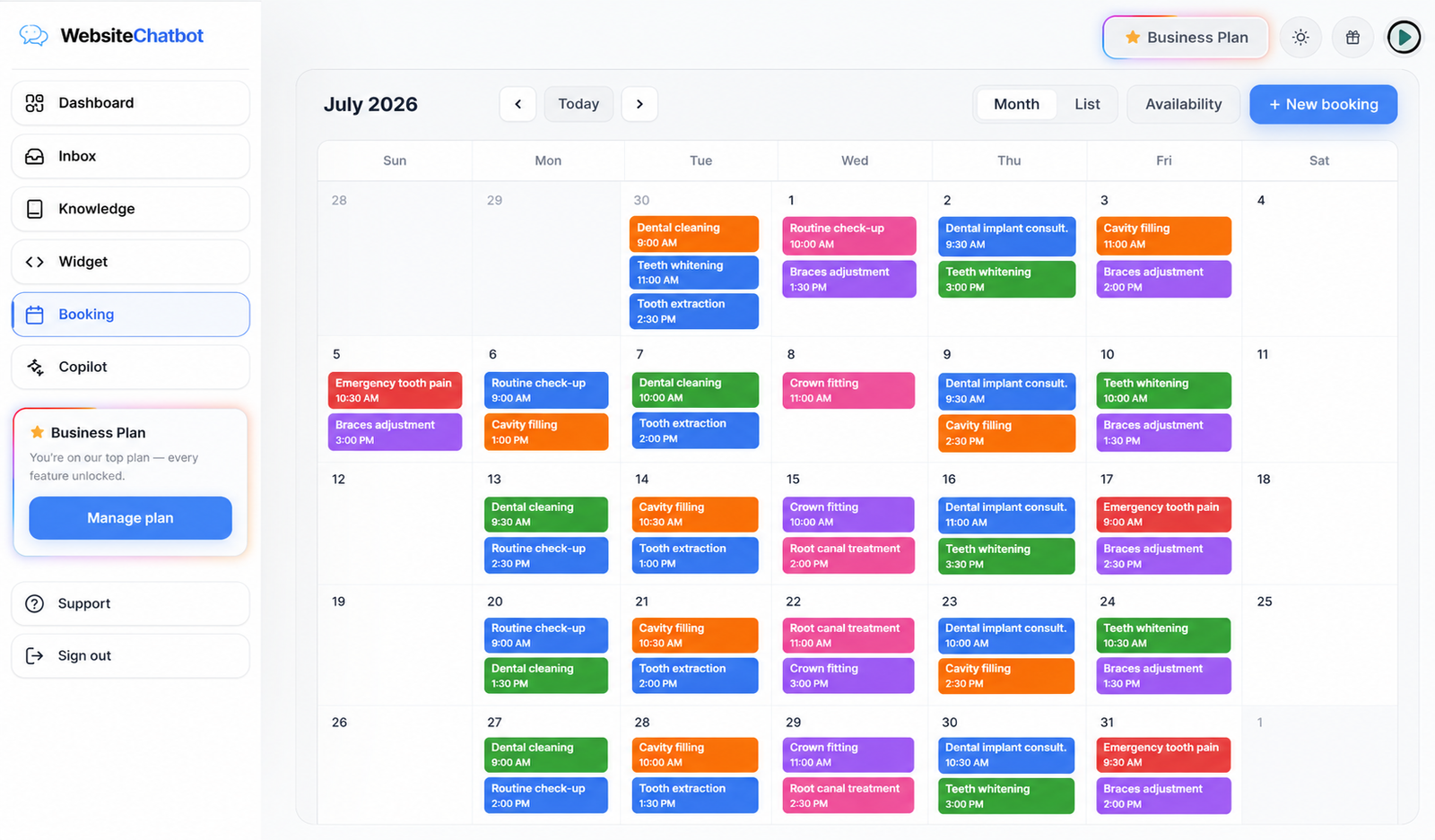
Every conversation saved with its full transcript Leads and bookings collected without a single form Flip one switch to take over any chat live

Inside one conversation

What actually happens when a visitor types

Four moments, every time — and you only appear in the last one if you choose to.

The visitor asks

Someone on your site opens the bubble and types a real question — at 11 AM or at 2 AM, it makes no difference.

The bot answers

It searches the knowledge you taught it and replies in seconds — using your prices, your hours, your words.

1 credit
It captures or books

If the visitor is interested, it collects their name and email — or offers a free slot and books the appointment there and then.

Lead saved
You take over — or don't

Ask for a human and the chat is flagged in your Inbox. Flip the switch to reply live; leave it and the bot keeps going.

It answers from your knowledge only

The bot replies using the pages, files and Q&A you gave it. It doesn't invent prices or promises about your business — and when it doesn't know, it says so.

It tells you what it couldn't answer

Every unanswered question is collected in Knowledge gaps. Write the answer once, and the next visitor who asks gets it instantly. The bot gets smarter every week.

Credits, with no surprises

One credit per reply. Your plan's allowance refills every billing cycle and the remaining balance sits in your dashboard — no metered bill at the end of the month.

Before you start

The questions everyone asks first

Your chatbot is created instantly and starts answering the moment the code is on your site. The only step that takes a moment is the first website scan, while it reads your pages — after that everything is immediate.

No. The only technical step is pasting one line of code into your website — it works in a Custom HTML block, a theme footer, or any code-snippet field. If someone else manages your site, forwarding them that line is enough.

Only from the knowledge you give it: your scanned website pages, uploaded files and Q&A pairs. It doesn't invent information about your business, and it shows you any question it couldn't answer so you can fill the gap.

The conversation is flagged in your Inbox. You flip one switch and reply live in the same chat window — the AI pauses while you talk and resumes when you hand it back.

A credit is used each time your chatbot generates a reply. Every plan includes a monthly allowance that refills on your billing date, and you can see exactly how many are left in your dashboard.

Yes. Knowledge, widget design, working hours, services and channels can all be edited at any time — and changes apply to your live widget immediately, without touching your website again.

You've seen the whole thing. Now go live.

Free plan availableNo credit card requiredOne line of code

Photo by Pexels