WordPress Chatbot
The WordPress Chatbot That Turns Visitors Into Customers
Add an AI chatbot to your WordPress site in minutes — no plugin needed. One line of code, and it answers questions, captures leads and books appointments 24/7, on any theme or builder.
Works with Elementor, Divi, Gutenberg & every WordPress theme


 websitechatbot.io
Answered instantly
The bot reads your WordPress pages and answers pricing, services and hours questions the second they're asked — no more repeating yourself in emails.
Booked automatically
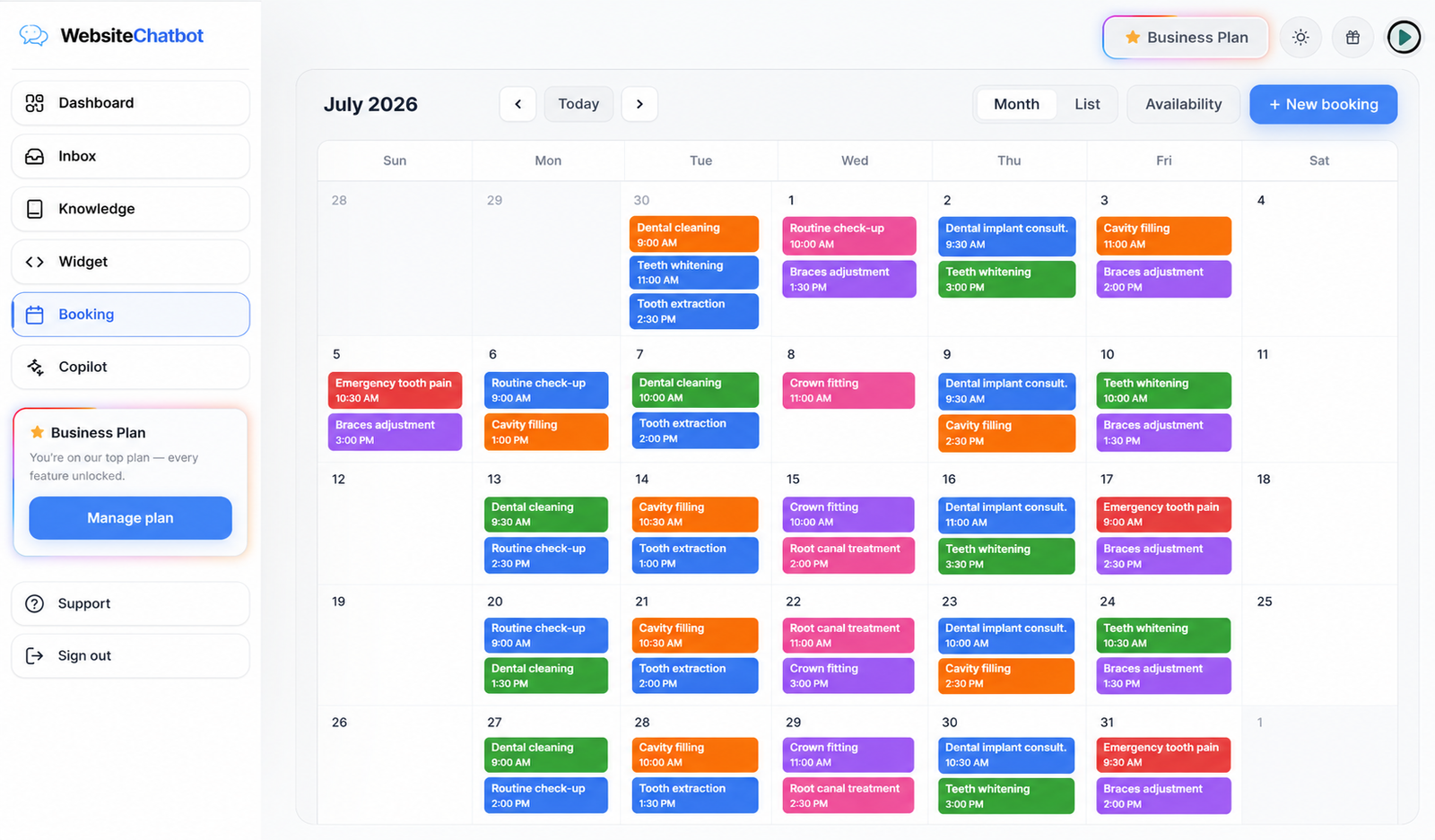
Set your working hours once. The chatbot offers open slots, never double-books, and confirmed appointments land in your calendar with the customer's details.
Lead captured first
Before a visitor leaves, the bot collects their name and email mid-conversation. You wake up to leads instead of empty analytics.
5-minute setup
How to add a chatbot to WordPress
No plugin to install, nothing to configure on the server, nothing that slows your site down. Three steps and the bubble is live.
Create your chatbot
Sign up free, give the bot your website URL, and it learns your pages automatically — services, prices, FAQs, everything public.
Paste one line in WordPress
Copy your embed code from the Widget tab. In WordPress, drop it in a Custom HTML block, your theme's footer, or any code-snippets plugin — right before </body>.
Verify & go live
Refresh your site — the chat bubble is live. Use the built-in install checker in your dashboard to confirm it's detected and working.
<script src="https://websitechatbot.io/widget-v1.5.1.js" data-id="YOUR-WIDGET-ID"></script>
Your personal data-id is generated in the dashboard — this is the only line your site needs. The script loads async, so your PageSpeed score is untouched.
Trained on your WordPress content
Point it at your site and it scans your pages, posts and FAQs. Upload PDFs or add Q&A pairs for anything not on the site. It answers only from your information.
Appointment booking built in
Working hours, services, slot lengths — configured once. The bot books visitors directly in chat and the appointment appears in your dashboard calendar.
Live human handoff
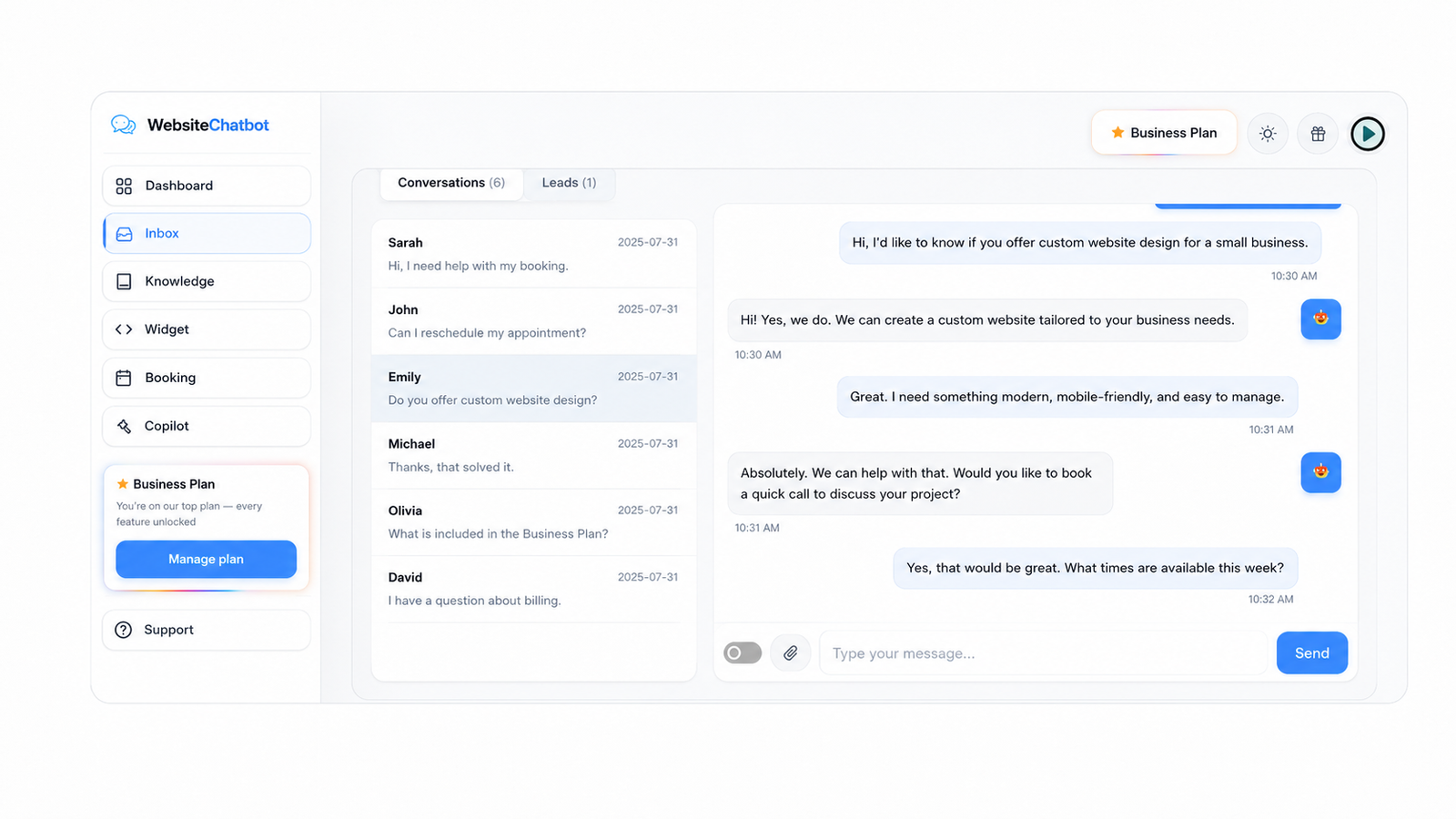
When a visitor asks for a person, the chat lands in your Inbox. Flip one switch and you reply live from the dashboard — the AI pauses while you talk.
Matches your brand, not ours
Seven widget styles, your accent color, your logo, your welcome message — designed in a live preview studio. Visitors think you built it yourself.
Every chat, lead and booking — in one dashboard
Reply to visitors live, watch leads arrive, and see the appointments your chatbot booked while you slept.
"Setup genuinely took minutes. I pasted one line on WordPress and the bubble was live, answering from my own pages."
"Matching it to our brand took two clicks — our colors, our logo, our tone. Customers think we built it ourselves."